Software FracPad III - iOS/Android/Mac/Win Editor for the Axe-Fx II/XL/XL+, AX8/FX8, Axe-Fx III and FM3/FM9

Third party software for Fractal Audio products.
For whatever reason there's not a setting in the s24 anywhere to enable OTG mode for usb. Having said that, when I connect to my PC I get a prompt to select the usb mode, so I figure something is probably wrong with the connection. Thanks for the help, I'll try some other things to rule out what's wrong.
 
For whatever reason there's not a setting in the s24 anywhere to enable OTG mode for usb. Having said that, when I connect to my PC I get a prompt to select the usb mode, so I figure something is probably wrong with the connection. Thanks for the help, I'll try some other things to rule out what's wrong.
Having searched Google it seems the s24 is having problems with usb otg...
Maybe try this


But it's always good to stay away from Samsung... Their os implementation is always bad. Regular android phones like oneplus, realme, sony, asus etc always work better
 
Last edited:
FracPad III 3.53 is available :
- It adds AxeFx III firmware 29.00 support, as well as FM9 9.02 and FM3 10.00
Hi,
If this has been covered elsewhere, I apologise.
I have a FM9 and I’m running firmware 10.0 Beta. Will the current version of Fracpad support it? I’d rather wait if it means I’ll need to go back to a previous firmware version.
Thanks
Bren
 
Hi,
If this has been covered elsewhere, I apologise.
I have a FM9 and I’m running firmware 10.0 Beta. Will the current version of Fracpad support it? I’d rather wait if it means I’ll need to go back to a previous firmware version.
Thanks
Bren
Yes fractool and Fracpad will work, maybe new block types may be missing that's all what can happen
 
Is there any way to run FracPad on android without connecting using Bluetooth via the midi port? I have a midi controller connected to my FM3, so I'm hoping for another connection method.
 
Is there any way to run FracPad on android without connecting using Bluetooth via the midi port? I have a midi controller connected to my FM3, so I'm hoping for another connection method.
Hi
Unfortunately, the fm3 is not midi class - compliant. Meaning its usb port needs a driver, so can't be accessed on android or ios.
Something with midi splitters and mergers could work, but it's a complicated setup
 
Is there any way to run FracPad on android without connecting using Bluetooth via the midi port? I have a midi controller connected to my FM3, so I'm hoping for another connection method.
My midi controller (hotone ampero, very cheap) also merges midi so I have the Yamaha MD-BT01 going from the FM3 midi out into the footcontroller and from the footcontroller back into the FM3. Couple of CME short leads and F-F midi adapters keep the MD out of the way.

So, check if your controller does merge first!

I did use to have a standalone midi merger but found out the hotone doesn"t need one. That went FM3 out to MD BT01, MD into merger, hotone also into merger and merger back into the FM3. Mine was that really cheap doremidi from aliexpress. Works fine.
Now if the footcontroller needs feedback from the fm3 you would indeed need a splitter coming from FM3 into the MD and the footcontroller.

 
My midi controller (hotone ampero, very cheap) also merges midi so I have the Yamaha MD-BT01 going from the FM3 midi out into the footcontroller and from the footcontroller back into the FM3. Couple of CME short leads and F-F midi adapters keep the MD out of the way.

So, check if your controller does merge first!

I did use to have a standalone midi merger but found out the hotone doesn"t need one. That went FM3 out to MD BT01, MD into merger, hotone also into merger and merger back into the FM3. Mine was that really cheap doremidi from aliexpress. Works fine.
Now if the footcontroller needs feedback from the fm3 you would indeed need a splitter coming from FM3 into the MD and the footcontroller.
I have the midi baby, https://www.disasterareadesigns.com/shop/p/midi-baby-3. I have no idea if it could do that.

I have a BT01 that I was gonna use for Fracpad, but I removed it when I got the Midi Baby.

Does your foot controller connect to your FM3 wirelessly?

The Midi Baby looks like it can do pass through with a Midi Y cable. You think that would work? BT01 from midi out of the FM3 > into Midi Baby via Y cable > out of Midi Baby 3 via other side of the Y cable > midi in on FM3. 1000014014.jpg
 
Last edited:
I have the midi baby, https://www.disasterareadesigns.com/shop/p/midi-baby-3. I have no idea if it could do that.

I have a BT01 that I was gonna use for Fracpad, but I removed it when I got the Midi Baby.

Does your foot controller connect to your FM3 wirelessly?

The Midi Baby looks like it can do pass through with a Midi Y cable. You think that would work? BT01 from midi out of the FM3 > into Midi Baby via Y cable > out of Midi Baby 3 via other side of the Y cable > midi in on FM3. View attachment 160331
Nice. Very flexible but not very clear on possibilities. :) The easiest way to find out is to just try.
No, the hotone is not wireless, everything is connected through dependable copper, except the iPad/BT01.
 
Couple of CME short leads and F-F midi adapters keep the MD out of the way.
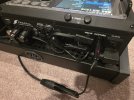
Can you explain the CME leads and F-F adapters? I have it working with the Midi Baby, which is under my board, . Now I just need to figure the best way to cable everything.1000014045.jpg
 
If you don't mind the MD-BT01 sticking out pretty far on the midi out of your FM3 you can keep it like that!

I don't like that so I use short cables to be able to stick the BT01 under my board. The metal board shields the bluetooth but my ipad is only 3 feet away so have not had any problems.
I picked the CME cables because they're very compact and sell 4 for $17 on amazon . So I have spares. But they only have them as male to male, ordinary midi cables. Therefore the need for the female to female adapters to connect to the BT01.

If you have extension cables (male to female) that you like, you don't need the adapters.

I don't like the Rockboard flat MIDI plugs because they're in the way of other ports. I do like the Rockboard Flax cables. There's more brands now that do something similar to the CME.
 
Any ideas why neither my Samsung Galaxy S25+ nor my Samsung Galaxy A9+ won't connect to my FM3 via the Yamaha MD-BT01? Looks like FracPad see the MD-BT01, but only if I connect with the BTLE app. If that isn't running, FracPad doesn't see any device. 1000014055.jpg1000014057.jpg1000014059.jpg
 
Any ideas why neither my Samsung Galaxy S25+ nor my Samsung Galaxy A9+ won't connect to my FM3 via the Yamaha MD-BT01? Looks like FracPad see the MD-BT01, but only if I connect with the BTLE app. If that isn't running, FracPad doesn't see any device. View attachment 160400View attachment 160399View attachment 160401
Don't use external connectors. Just click the Bluetooth button in Fracpad.
Kill every other app.
The Bluetooth button appears when a midi ble device is accessible.
If the Samsung os asks for connection to the MD-BT01, refuse it.
Just FracPad
 
Don't use external connectors. Just click the Bluetooth button in Fracpad.
Kill every other app.
The Bluetooth button appears when a midi ble device is accessible.
If the Samsung os asks for connection to the MD-BT01, refuse it.
Just FracPad
I've tried that and no device shows in FracPad.
 
I've tried that and no device shows in FracPad.
With Bluetooth enabled?
Check the log in Fracpad to see if it detects your md-bt01.
Did you rename the MD-BT01 in yamaha ud/md utility? If so, rename it to its default name.
Also try to update the MD-BT01 firmware
 
With Bluetooth enabled?
Check the log in Fracpad to see if it detects your md-bt01.
Did you rename the MD-BT01 in yamaha ud/md utility? If so, rename it to its default name.
Also try to update the MD-BT01 firmware
Yes, I have Bluetooth enabled. I haven't renamed the MD-BT01. Here's what's showing in the log. 1000014063.jpg
 
Back
Top Bottom