Attack and release time are to blame there...I think this is a bug, the yellow dot compressor on the display stays on top even without playing.
View attachment 154726

Attack and release time are to blame there...I think this is a bug, the yellow dot compressor on the display stays on top even without playing.
View attachment 154726
with old FM3 and red CPU - Try in Reverb block choose TYPE and rechoose same reverbtype again. My old fw preset about 80% with LARGE PLATE went with from fw 10 beta 95% - to 64 % (echo density 4 preselected ) Echo density 8 made it about 78% but playable as beforeSo... I installed the new version of the FM3-Edit and then the new 10.0 firmware.
It boosted all my main presets to "OUT OF CPU" state to a point where I couldn't do anything but changing presets or it would crash. I couldn't even edit the presets besides deleting one block and it would crash after that, I couldn't even save the edit.
I had to CLEAR all my main presets and will have to start them over. Thankfully I had some blocks saved in the library, which cuts a hell lot of editing time.
I haven't been able to rebuild the cleared presets (via the FM3-Edit), but will get there eventually. Since I'm not gigging, it doesn't really matter much.
Needless to say that the "OUT OF CPU" presets went for a walk and never came back, so I can't share them. Whatever you guys did, it came out WAY heavier on the CPU use than it was before... My FM3 unit is v1, not turbo nor mark II or whatever, so lower memory/CPU power...
I posted this just to share this occurrence, in case some one else finds the same problem. My rig is made of an FM3, a Mesa Boogie Triaxis and a Synergy Syn5050 power amp, the FM3 and the Triaxis are entangled in the 4 Cable Method on the double side of things, The Triaxis is in the FM3 loop, but the FM3 is also in the Triaxis' loop. These presets didn't even had the AMP and CAB blocks and clocked at about 65% of CPU... new FW and it skyrocketed into oblivion... oh well, it's a chance to make things better...
OLD FM3 - see if my post #255 helps about REVERB BLOCK solutionYou should be able to delete a block with a red cpu warning. If you backed up prior to updating you can recover your presets. I have the old FM3 with average cpu pre update at about 73-75. I went red and turned down echo density which got me out of the red. Also turned down dispersion. Comps I don’t use but if you do, delete those 1st.
gotcha

Eh, not in this case. For 9.xx users, there's no Dynacabs update. See OP.


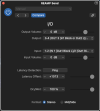


No bro, this is only happening with the VCA BUS COMPRESSOR.Attack and release time are to blame there...

The Input Gate doesn't add latency. It's confusing the latency measuring program.@m_brown and @Admin M@
I noticed a increased latency while using the input gate. Using the settings of the 1st screenshot, I'm getting a latency of 1013 samples on Logic Pro X, measured on the I/O Plugin:
View attachment 154743View attachment 154744
At any value of threshold I get this latency, but if I simply turn the gate off, I get a latency of 365 samples, which is a normal value for this preset.
View attachment 154745View attachment 154746
With this very same preset, with the Input Gate on using these settings from the 1st screenshot, I would get a latency around 350 samples when my FM3 was on Firmware 9.01 Beta. Is this a bug or a normal behavior due to the new improved Input Gate?
Just finally installed it.
Don’t know if it’s a placebo effect or not or maybe because I’ve been giging all days last week but my main 59slp preset doesn’t really feel the same…
It feels better than ever!
Never thought a modeler could bring me those raw and dynamics tones... I love fractal!
Here's a quick noodling on my own vision of a supercharged 59, second part is on my main ryhtm 59 tone

No, it's a mix of Solodallas Basketweave i made in cablab.Sounds killer man
Is that a Dyna Cab combo ?


That is showing the amount of gain reduction occurring. If you aren't playing, there is nothing hitting the threshold for gain reduction to occur. So it stays there.I think this is a bug, the yellow dot compressor on the display stays on top even without playing.
View attachment 154726
I'm a bit late for that as I nuked those presets. I couldn't do anything without the FM3 going on vacation... but I'll keep that in mind, thanks.with old FM3 and red CPU - Try in Reverb block choose TYPE and rechoose same reverbtype again. My old fw preset about 80% with LARGE PLATE went with from fw 10 beta 95% - to 64 % (echo density 4 preselected ) Echo density 8 made it about 78% but playable as before
Ok, then, I was guessing on it...No bro, this is only happening with the VCA BUS COMPRESSOR.
Is it me or does Virtual Capo have more latency than before?


so do i need to update fm3 edit ??

