Software FracPad III - iOS/Android/Mac/Win Editor for the Axe-Fx II/XL/XL+, AX8/FX8, Axe-Fx III and FM3/FM9

Third party software for Fractal Audio products.
I just saw your log, clearly disable Bluetooth there are dozen of devices where you are and they are responsible of your problem

 
I'm successfully using fracpad over both USB and a widi master for editing but I'm having trouble linking blocks together in fracpad. When I hit connect to and then the next block, about half the time fracpad hangs with a message saying "polling global perform" that won't go away. It's happening with both USB and widi.

I'm on an ipad pro 2021 with USB C and an FM9 turbo. Any tips for troubleshooting?
Fixed in upcoming release :)
 
I just tried to connect my FM9T to my Ipad Pro via USB B to USB C cable but it doesnt show any preset. Just a blank screen. In the corner it shows "Any" and not "FM9". Is there a fix for this?
New FracPad Lite version is on its way :)
FracPad Lite 3.48 will support FM9 and dynacabs for FM3/III :)
 
Last edited:
FracPad 3.48 is available :
  • AxeFx III firmware 22.01 support
  • FM3 firmware 7.00b3 support
  • FM9 firmware 5.00b1 support
  • Fixes Mixer2/3/4 blocks parameters not displayed
  • Adds Sliders Linear mode editing sensibility setting
  • Fixes FM9 links creation/deletion
 
Last edited:
@AlGrenadine is there a way to turn off the annoying bluetooth popups? If Bluetooth is turned on it keeps asking to pair. If you turn it off then you keep getting popup messages to turen on bluetooth. I don;t want either! I am using a usb-C to usb-B connector to a MidiHub and then midi cables to the FM3....works great apat from the annoying popups!
 
@AlGrenadine is there a way to turn off the annoying bluetooth popups? If Bluetooth is turned on it keeps asking to pair. If you turn it off then you keep getting popup messages to turen on bluetooth. I don;t want either! I am using a usb-C to usb-B connector to a MidiHub and then midi cables to the FM3....works great apat from the annoying popups!
From what i understand this pop-up is the system one, i can't manage it you have to turn off Bluetooth if it's not used by FracPad
But what does it want to connect to, if you use usb?
 
Last edited:
From what i understand this pop-up is the system one, i can't manage it you have to turn off Bluetooth if it's not used by FracPad
But what does it want to connect to, if you use usb?
Thanks. It looks like I have made some progress by turning off the application specific permissions to use Bluetooth as well as turning BT off on the ipad altogether. I still get one prompt when the app first starts up, but not every 30 seconds as it was.

With the MidiHub (blokas.io/midihub), it presents as multiple devices to the host when connected by USB. Using the configuration application on the host, you tell it where you want to map port traffic, so I take USB input and send it to the output port A of the MH, which goes to the FM3, then FM3 out goes to input port A on the MidiHub, which I then map to the USB output.

When Fracpad starts up, I merely select the Midihub device for output and input and the traffic is routed. Once the mapping is done, it can be completely disconnected from a PC and it just runs the mapped ports you set up.

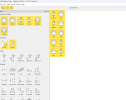
Here's how I do the mapping on the MH if anyone's interested.
Screenshot 2023-08-11 162758.png
If anyone else tries this, I only had to make sure that I wasn't passing midi through on the FM3 (or it created an endless loop). The MidiHub could be useful in case anyone wanted to set up another midi controller (like the Morningstar MC6 for example) if the budget didn't cover a FAS FC-6 or FC-12.


I found the MD-BT01 incredibly unreliable and had to regularly unplug it from the FM3 and reconnect as it would lose communications. I have attached the MidiHub device to the back of the music stand with velcro and then have a midi cable to the FM3...I'll be using this at a rehearsal session on Sunday so hopefully will be a good option if I need to tweak settings on the fly.
 
Last edited:
MD-BT01 gets hot. I am using it with my FM3 Turbo and FracPad works great. The MD-BT01 gets so hot, I can’t keep my fingers on it. It happens as soon as the FM3 is powered on. I expect it to have a short lifespan with this heat. Are there any alternatives that don’t get hot? I saw the thread about the WIDI Master getting hot.
 
MD-BT01 gets hot. I am using it with my FM3 Turbo and FracPad works great. The MD-BT01 gets so hot, I can’t keep my fingers on it. It happens as soon as the FM3 is powered on. I expect it to have a short lifespan with this heat. Are there any alternatives that don’t get hot? I saw the thread about the WIDI Master getting hot.
It's a problem from the fm3 port, see the other topic where you already posted
 
It's a problem from the fm3 port, see the other topic where you already posted
Hi AlGrenadine,
love your work!
Do you think you could make a little device that would translate all the data to midi so the fractal devices could be controlled by MIDI? Fractal‘s MIDI implementation is quite limiting, I would like to set up a Midi Fighter Twister (16knobs and pushes x 4 = 128 midi controls in total) to change parameters if needed on the fly (like on a real pedalboard).
Since you know how to get and manipulate the data via your app fracpad, it should only be a matter of translating it to MIDI?
I have tried your app, but for live use touch isn’t a reliable solution for me (display not readable, sweaty fingers,….).
A fractal specific usb midi host would be a cool device to have.

I hope I explained myself clearly enough! ;)
 
Hi AlGrenadine,
love your work!
Do you think you could make a little device that would translate all the data to midi so the fractal devices could be controlled by MIDI? Fractal‘s MIDI implementation is quite limiting, I would like to set up a Midi Fighter Twister (16knobs and pushes x 4 = 128 midi controls in total) to change parameters if needed on the fly (like on a real pedalboard).
Since you know how to get and manipulate the data via your app fracpad, it should only be a matter of translating it to MIDI?
I have tried your app, but for live use touch isn’t a reliable solution for me (display not readable, sweaty fingers,….).
A fractal specific usb midi host would be a cool device to have.

I hope I explained myself clearly enough! ;)
Actually, i tried this few months ago with a rpi but hadn't enough time to work on it
 
I had a thought about FracPad and a footcontroller.

If the footcontroller could have a keyboard keystroke or push coordinate assigned to a pushbutton, then if you could assign it to a function in FracPad, FracPad would function as a controller.
If that is possible, anyone could build a controller and use it with FracPad on any platform IMHO to have a (big) screen fractal controller.

Connection:
The device that runs FracPad is connected to the Fractal with USB, so the footcontroller could be hooked up with Bluetooth to FracPad. There are microcontroller that have native BT onboard.

So in short:
No midi needed! just assigning buttons to control FracPad

Would that be possible?
Happy to collabarate on any development. I have hardware enough to build a mockup.

Cheers 🍻
 
When connecting an iPad to an FX III, can I use a 'simple' Lightning to USB type B cable or do I have to use a USB camera adapter? Any experience with Apple-certified 3rd-party camera adapters?
 
Back
Top Bottom