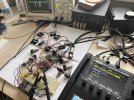
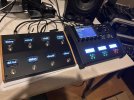
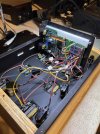
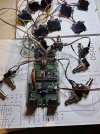
I'm still hoping someone experienced would reverse engineer the faslink communication - that would be the ultimate solution for bidirectional communication using a single xlr cable.
Grok Advice is to use standard MIDI, like we've been doing, which looks like the most sane option. But if you want to get yourself into that obscure rabbit hole:
The probability of successfully reverse engineering the Faslink (or Faslink II) protocol to the point where you can build a fully functional, reliable DIY MIDI-style controller (emulating an FC-6/FC-12 with bidirectional communication, LED updates, screen data, low-latency button handling, error checking, etc.)
is very low — realistically in the 5-15% range for an individual hobbyist working alone, even with good electronics skills and dedication.
If You Still Want to Explore Faslink (High-Level Overview Only)
Faslink is a proprietary protocol that's not MIDI—it's a custom digital communication over XLR carrying both power and data. Community attempts to work with it are rare and typically limited to power extraction, not full protocol emulation. Reverse engineering it is non-trivial, discouraged without approval, and hasn't been publicly documented in detail from what I can find.
Basic Physical Details
- Cable/Pinout: Uses a standard 3-pin XLR mic cable.
- Pin 1: Ground (shield, common return).
- Pin 2: Power (+12V DC from the Axe-Fx to power the controller).
- Pin 3: Data (bidirectional digital signal).
High-Level Steps to Sniff the Data
If you're set on analyzing it for educational purposes (and assuming you accept the risks, like potentially voiding warranty or damaging gear), here's a general, non-actionable outline based on standard hardware reverse engineering practices:
- Setup Hardware Tap: Create a breakout or Y-split XLR cable to access the pins without interrupting the connection between your Axe-Fx and an official FC controller. Connect Pin 3 (data) and Pin 1 (ground) to a probing tool. Be extremely cautious with the +12V on Pin 2 to avoid shorts.
- Capture Signals: Use a logic analyzer (e.g., Saleae Logic series, which is affordable and user-friendly for beginners) to record the data line while actively using the FC controller (e.g., press switches to change scenes or presets). Set the analyzer to sample at a high rate (e.g., 10-50 MHz) to capture fine details. Software like Sigrok or the analyzer's app can help visualize waveforms.
- Analyze the Capture:
- Determine if it's a standard serial format (e.g., UART-like): Measure bit timings to find baud rate (bit duration inverse).
- Look for patterns: Identify start/stop bits, packet structures, checksums, or command/response pairs by correlating captures with specific actions (e.g., a scene change might send a repeating byte sequence).
- If it's not plain serial, it could be a custom protocol (e.g., Manchester encoding or multiplexed)—use the analyzer's protocol decoders or export data for further scripting in Python.
- Iterate: Repeat captures for different commands, compare differences, and build a map of the protocol.
Tools like logic analyzers are essential because the data line carries digital pulses you need to decode. Avoid connecting directly to sensitive equipment without isolation. Note that even if you decode it, implementing a full DIY controller would require emulating the entire handshake and responses, which could be complex and unstable.
~~~~~~~~~~~~~~~~~~~~~~~~~~~~~~~~~~~~~~~~~~~~~~~~~~~~~~~~
Digging Deeper into Sniffing and Analyzing Faslink Data
From publicly available discussions (primarily on Fractal Audio's forums and related communities), Faslink (and its successor Faslink II) is a proprietary, bidirectional communication protocol that's not based on MIDI. It's designed for low-latency interaction between the Axe-Fx/FM series and FC foot controllers, handling things like button presses, LED updates, display info, and status syncing. The protocol wraps commands in a custom format, with the Axe-Fx acting as the "host" and the FC as a "terminal" that reports events (e.g., switch presses) while receiving responses (e.g., to update lights or screens). It's robust for stage use, using high signaling levels, but not balanced like typical audio lines.
Public info is sparse because Fractal hasn't released specs, and community consensus is that reverse engineering it fully would be complex and potentially against their terms (e.g., their manuals prohibit reverse engineering their software/firmware). No detailed protocol breakdowns or open-source implementations exist from what I could find—most users stick to MIDI SysEx for DIY projects. Some speculation includes multiplexing (combining data and power signals), but nothing confirmed beyond basics.
High-Level Sniffing Approach
Sniffing involves passively capturing the electrical signals on the data line without disrupting the connection. Here's a conceptual overview:
- Hardware Setup for Capture:
- Use a Y-split or breakout XLR adapter to tap into the cable between the Axe-Fx and an FC controller. Focus on Pin 3 (data) and Pin 1 (ground/shield). Isolate Pin 2 (+12V power) to avoid interference or damage—use a multimeter first to confirm voltages.
- Connect the data line to a digital capture tool like a logic analyzer (e.g., something basic like a USB-based one from Adafruit or more advanced like Siglent models). These devices sample voltage changes over time, turning them into digital waveforms.
- Trigger captures during specific actions: Boot the devices, press a footswitch to change a preset/scene, or toggle an effect. This creates "known events" to correlate with signal patterns.
- Capture Parameters:
- Sample at a high frequency (e.g., 1-10 MHz or more) to catch fast transitions, as the protocol likely uses serial-like encoding but could have custom timing.
- Record for short bursts (seconds) to keep data manageable—long sessions might overwhelm analysis.
- Ensure the tool handles bidirectional traffic; the line carries both directions, possibly with time-division or packet headers distinguishing send/receive.
- Basic Signal Characteristics (From Public Speculation):
- It's digital, not analog audio. Expect pulse trains resembling UART (serial) but potentially with custom encoding like Manchester (self-clocking) to handle the single data wire.
- Voltage levels: Likely 0-5V or similar logic levels, stepped up for robustness over long cables (up to 100ft per Fractal).
- Bidirectional: The host (Axe-Fx) polls or responds, so traffic alternates directions.
High-Level Analysis Steps
Once captured, analysis is about pattern recognition rather than instant decoding:
- Waveform Inspection:
- Use software (e.g., PulseView with Sigrok for open-source analyzers) to zoom into the signal. Measure bit widths to estimate baud rate (e.g., if bits are 10µs wide, that's ~100k baud).
- Identify idle states (e.g., high/low voltage when no activity) and packet starts (e.g., a unique preamble sequence).
- Pattern Correlation:
- Compare captures from repeated actions: A scene change might always start with the same byte sequence (e.g., a header like 0xAA followed by a command byte).
- Look for structures: Protocols often have headers (length, type), payloads (data like switch ID), and checksums (e.g., CRC or simple XOR for error checking).
- Bidirectional pairs: A button press sends a short packet upstream; the response downstream might be longer (e.g., updating multiple LEDs).
- Decoding Iteratively:
- Export to hex/binary and search for repetitions. Tools like Wireshark (if adaptable) or custom scripts can help dissect.
- Test hypotheses: If it looks UART-like, try common settings (8N1: 8 data bits, no parity, 1 stop). If not, consider differential or encoded formats.
- Build a partial map: E.g., "Switch 1 press = 0x01 0xFF ...", then validate by comparing multiple captures.
Challenges: Without docs, full decoding could take weeks of trial/error. It's not plug-and-play like MIDI, and errors might cause device glitches. Community threads note attempts fizzling out due to complexity.
Can an AI Like Me Help?
Yes, to a degree—I can assist with high-level guidance, analysis of provided data, or even scripting to process captures, but with limitations:
- What I Can Do:
- If you share anonymized capture data (e.g., hex dumps, CSV timings, or waveforms as text/files), I can use tools like code execution to analyze patterns. For example, write Python scripts with libraries like NumPy/SciPy to detect baud rates, find recurring sequences, or visualize histograms of byte values.
- Suggest experiments: E.g., "Capture a baseline idle state, then one action at a time."
- Cross-reference public info: I can search for similar protocols or general RE techniques.
- What I Can't/Won't Do:
- Provide step-by-step code or tools that directly enable unauthorized access or violation of Fractal's IP/terms.
- Perform real-time sniffing (I don't have hardware access).
- Guarantee success—proprietary protocols are opaque by design.
If you have sample data from a capture, upload it or describe it, and I can help break it down conceptually or via code simulation. Otherwise, sticking to MIDI SysEx is still the best DIY path for reliability and legality.