Good news for pixel 7 users (which only support 64 bits apks) : FracPad is now 64 bits only on Android 


Either an apple usb camera adapter or a Yamaha MD-BT01I got an Fm3, what do I need to use FracPad with my Ipad?
I don't know you can try FracPad lite for freeIs the Camera adapter still needed with the M1 Ipad Pro? Because it is usb c


I tried briefly with my iPad Pro using USB C to USB B cable and it worked for me.Is the Camera adapter still needed with the M1 Ipad Pro? Because it is usb c
Yes, and the USB A on the FM3 is not enabled in any case.Nice, thank you! I think USB C to USB A wont work because the Fm3 isnt an USB host, right?
The fm9 supported version is still 4.00@AlGrenadine - I just spent a little time trying FracPad with USB C to USB B cable on my FM9.
I'm running a (so far) stable version of private beta firmware.
The FM9 locked up twice while using FracPad. I'm going to do more testing later. I'll report anything I see.
I did already note some stuff in the Setup section that's not right with FM9.
Some of the values for settings don't make sense... And some things like Output 4 don't exist on the FM9 (although maybe are there "generically" for all devices?).
Would you prefer I post things here or in a private message?
HiHello! This is a (duplicate post in the AX8 forum) of a last ditch effort in trying to find a solution to getting my setup working.
I made what may turn out to be a stupid purchase and bought a WIDI Master with intention to get wireless midi editing of my AX8. I am now experiencing a bit of buyers remorse and accept that I may need to get a. Yamaha UD-BT01.
SO… I currently have the following setup-
AX8 firmware 10.1
Fracpad3
WIDI Master firmware 2.01
Ipad Pro 5th gen iOS 16.5.1
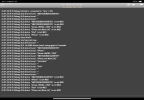
In every instance of attempting to get things working, when I open FracPad, the AX8 is not recognised. The log shows that there is coms between the WIDI Master and the AX8 and a message is being sent of the AX8 asking “who am I” that elicits a response of “F7”.
My attempts to get things working have included trying all firmware versions for the WIDI Master and I am also using the MIDIttr app. I can select the WIDI Master as MIDI I/O when using the Fracpad3 app… and yet the error persists.
I’ve been attempting to solve the situation for a day now and now it’s giving me the shits. PLEASE is there any kind soul that may be able to offer any advice or method towards a solution? I am able to accept comments along the lines of “buy the recommended Yamaha unit”.
Cheers
Z
Same experience but as I'm on a private FM9 beta I wasn't sure if that was why.I'm successfully using fracpad over both USB and a widi master for editing but I'm having trouble linking blocks together in fracpad. When I hit connect to and then the next block, about half the time fracpad hangs with a message saying "polling global perform" that won't go away. It's happening with both USB and widi.
I'm on an ipad pro 2021 with USB C and an FM9 turbo. Any tips for troubleshooting?
HiI'm successfully using fracpad over both USB and a widi master for editing but I'm having trouble linking blocks together in fracpad. When I hit connect to and then the next block, about half the time fracpad hangs with a message saying "polling global perform" that won't go away. It's happening with both USB and widi.
I'm on an ipad pro 2021 with USB C and an FM9 turbo. Any tips for troubleshooting?
Thanks, i'll try to reproduce but i only have a FM9 mk1FM9 Turbo on firmware 4.01
That's a connection issue, not a FracPad issueI just tried to connect my FM9T to my Ipad Pro via USB B to USB C cable but it doesnt show any preset. Just a blank screen. In the corner it shows "Any" and not "FM9". Is there a fix for this?