
rzjd
Inspired
donationWhich money? It's free lol

donationWhich money? It's free lol

And? Let's be clear, i owe nothing to anyone on Fractool, it's been stated multiple timesdonation

Write your own program and give it away for free. Then we'll observe your attitude toward people like yourself. Until then.....your welcome for the money. Nice attitude.


I feel like this was discussed previously and that was the suggested solution... But I might be wrong.I'm having a slight problem when converting Axe II XL+ presets to FM9. The top image is the preset exported from the Axe II XL, and the bottom is the preset converted to FM9. What could I be doing wrong? Converting Axe II to Axe III seems to work properly, so for the time being, I'm converting to III format and bringing this into the FM9 with Axe Edit.
View attachment 141223
Convert to axefx3 then use fm9edit to loadI'm having a slight problem when converting Axe II XL+ presets to FM9. The top image is the preset exported from the Axe II XL, and the bottom is the preset converted to FM9. What could I be doing wrong? Converting Axe II to Axe III seems to work properly, so for the time being, I'm converting to III format and bringing this into the FM9 with Axe Edit.
View attachment 141223

HiHey there Al,
I have no idea if you might continue FracTool in the future (I was pleasantly surprised by the last update!), but if you do, I wanted to let you know that, when using the amp comparison feature with FW 26 Public Beta, it's started changing the cab block in addition to the amp block. I had the condenser for the 2x12 5153 Stealth in slot 1 and the dynamic 1 for that cab in slot 2. When I went from The Euro Red Modern to the Euro Red amp, both slots changed to the 2x12 Bassguy.
Anyway, thanks so much for the recent update, and thanks for making this software available at all. Regardless if you work on it on the future or not, you created a great and helpful tool for all of us, and that is greatly appreciated.
Hi
Yes, i'll release an update for this
Implemented in next releaseMaestro, here is a little feature wish
At the Batch Setter, include a conditional at the "Reset block and save" function (currently, only the "Set", "Increase by" and "Decrease by" functions have conditional)
That would be useful with the new Axe- FX III firmware 25.04 release, to soft-reset the amp block only at the presets that are using the Plexi 100W or 1959SLP models.
Not essential, but interesting for the lazy asses



Implemented in next release
And also in Bypass/Engage/Replace block functions

No, it only sets parameters in blocksIs there a way to set a batch of presets to save to a particular scene other than scene 1? I have a group of presets in which I was hoping to compare scene 3 by scrolling quickly, but I had saved all those presets to open to scene 4 initially. I figured this is a longship longshot, but it’s worth it to ask, since I’ve missed features in the software before!

Far as I know, you'd have to open each one, set it to the scene you want, and save, then put them all back when you're done. I've done exactly that on occasion.Is there a way to set a batch of presets to save to a particular scene other than scene 1? I have a group of presets in which I was hoping to compare scene 3 by scrolling quickly, but I had saved all those presets to open to scene 4 initially. I figured this is a longship longshot, but it’s worth it to ask, since I’ve missed features in the software before!


The link is correct. That is AlGrenedine's archive site for all Fractal related firmwares & software including FracTool.Hi there wanted to DL fractool for another mobile pc running on W11 works flawless on my fixed PC. The link is not DL and some kind of archive site indicates it's a not frequently DL app. Guess I'm on some old link, can anybody help me out.
Need to explore an old Axe Fx 2 preset to try to male a rebuild for FM3 (U2 Streets)..
Found it via an old file that got me the update. Little Donation done. Keep on rocking Al
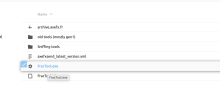
The auto engage OFF value is a setting within the modifier, not the block itself...Question for you experts because my search of this thread found no results
The pedal I use for Wah rests at 100%, so I set my auto-engage 'off' value to be 95%. I want to set all WAH 1 blocks to have that same value so I don't keep having to change it manually every time I access up a new preset.
I was hoping Frac Tool would be able to do this with the Batch Setter, however it appears that the 2nd level menu's list of parameters under Wah 1 -> Control are not supported in the UI. Does anyone know of an alternate way to do this?
Much appreciated!


