Bug? FM9 Firmware Version 11.0: Face Buttons/Knobs not responding

I wanted to start a new thread about this particular bug. I have never experienced this bug before Firmware 11.0.

Problem:
  • After installing Firmware 11 and updating Dynacabs, there are times, after booting up, that none of the face buttons or knobs work at all
  • Clicking all buttons does nothing
  • rotating the knobs does nothing/clicking them does nothing
  • The switches still work
  • Audio still works
Larger issue:
  • You cannot edit or interact with the FM9 unit in this state
  • seems to be random
  • Three days ago, this issue persisted after several reboots, could not resolve
  • Yesterday, my unit was fine
  • This morning, this issue resurfaced, after two reboots it did not get resolved
  • Issue was never experienced prior to this update
Hardware/Software/Other Info:
  • FM9 Mk1 Turbo
  • Firmware 11
  • Most recent FM9 edit
  • Trem block is using controllers: for rate, depth, and duty cycle
 
Last edited:
By "interact", does that mean that FM9-EDIT is unresponsive as well? Does anything change if you unplug the USB cable?
I foolishly haven't tried the editor in this unresponsive state yet. I know when I first updated to 11.0, the editor was saying there was a timeout issue, it hasn't repeated that error yet though.
 
Controllers and modifiers add CPU load that is not reflected as well by the CPU meter. Does it still happen if you're on any of the Factory presets?
 
Controllers and modifiers add CPU load that is not reflected as well by the CPU meter. Does it still happen if you're on any of the Factory presets?
I wish I could try but I can't change presets when my unit is experiencing the issue I am encountering. I will try changing presets using the editor later tonight though.

However, I highly doubt that the controllers I am using would at an extra 20%+ CPU load.
 
The controllers and modifiers themselves don't typically use that much, but some block parameters require a lot of computations when they are changed in real time. Modifiers have an adjustable update rate at which real time changes are recalculated. Using an expression pedal to sweep a Vol/Pan block is fairly simple, but sweeping something like the Gain or Treble control in the amp block makes it recalculate a ton of complex parameter interactions in the virtual amp circuit. Add in dynamic things like modifier damping or stacked controllers and it can get more expensive than you might expect in some cases.
 
The controllers and modifiers themselves don't typically use that much, but some block parameters require a lot of computations when they are changed in real time. Modifiers have an adjustable update rate at which real time changes are recalculated. Using an expression pedal to sweep a Vol/Pan block is fairly simple, but sweeping something like the Gain or Treble control in the amp block makes it recalculate a ton of complex parameter interactions in the virtual amp circuit. Add in dynamic things like modifier damping or stacked controllers and it can get more expensive than you might expect in some cases.
oh! well that that is definitely something to keep in mind! I am going to edit my original post to add this detail. Thank you!
 
Just updated my FM9 mkii to the new firmware as well today, and am experiencing this same issue. Despite many reboots, the panel buttons/knobs will not respond, and I cannot get the unit to interact with FM9-edit (I receive the communication time-out error message). The unit is essentially unusable for me in this state, which is disappointing. Any help would be appreciated!
 
Just updated my FM9 mkii to the new firmware as well today, and am experiencing this same issue. Despite many reboots, the panel buttons/knobs will not respond, and I cannot get the unit to interact with FM9-edit (I receive the communication time-out error message). The unit is essentially unusable for me in this state, which is disappointing. Any help would be appreciated!
This likely means the CPU usage is too high. See the troubleshooting section of the manual, specifically the instructions on how to boot to an empty preset.
 
This likely means the CPU usage is too high. See the troubleshooting section of the manual, specifically the instructions on how to boot to an empty preset.
Yesterday I had this issue again (all face buttons not working). Last night it was non-existent which was excellent. It seems to sporadically happen. I paid attention to the CPU usage when I could use the buttons, specifically when I was using a trem block with three modifiers attached.

With everything on and working, the max CPU usage I saw was 72.1% usage. When that trem block is inactive, it is around 69%. This is the same preset that I am experiencing the face button issues with. Just wanted to share my experience with you. I am glad to give any more insight to it as well.
 
This likely means the CPU usage is too high. See the troubleshooting section of the manual, specifically the instructions on how to boot to an empty preset.
Thanks for the quick response! I did try booting into an empty preset, but the issue persists, so I don't believe it's an issue of CPU usage. Also, the footswitches do work, and I get audio through the FM9. It's just that the panel buttons (home, edit, store, page, etc.) are unresponsive, and FM9-Edit times out when trying to communicate with the unit.
 
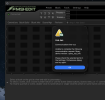
I booted my FM9 again and it is now not working as described in my original post. I tried accessing the editor and this is what popped up.

No idea what is going on. Should I revert back to the old firmware for the time being?
 

Attachments

  • Screenshot 2026-01-29 at 23.39.19.png
    Screenshot 2026-01-29 at 23.39.19.png
    580.4 KB · Views: 24
Thanks for the quick response! I did try booting into an empty preset, but the issue persists, so I don't believe it's an issue of CPU usage. Also, the footswitches do work, and I get audio through the FM9. It's just that the panel buttons (home, edit, store, page, etc.) are unresponsive, and FM9-Edit times out when trying to communicate with the unit.
Please contact support.
 
Just to update anyone interested on the forum, I've been in contact with support and managed to get the FM9 working again by booting into recovery mode and reverting back to firmware 10. After getting it operational again, I tried installing firmware 11 again, but the same issues arose, so I'm just going to stick with firmware 10 for now. Hoping we'll find a fix, though, because there are some features in FW11 that I'm eager to try!
 
Back
Top Bottom