Axe-Fx III Firmware 28.02 Release

Help needed with preset, I am playing this preset on Scene 5, but it lowers the volume somehow, like it losses balls of some sort, can someone help in checking it?, or see where it might be loweriung it overall volume or pucnhiness, it goes on and off, thanks in advance!
 

Attachments

Help needed with preset, I am playing this preset on Scene 5, but it lowers the volume somehow, like it losses balls of some sort, can someone help in checking it?, or see where it might be loweriung it overall volume or pucnhiness, it goes on and off, thanks in advance!
Page over to the Meters view of the grid from the front panel.

That can help visually see where levels are changing.
 
Just played through it, using the song Raise a Hallelujah (been awhile since I've played it, thank you!), and didn't experience a volume drop on scene 5. It's brighter than the other scenes, could be why it seems to lose it's oomph, but no loss or reduction of volume.

May I suggest using the Amp block Output EQ on all of the channels in both blocks and remove the GEQ block? You can still have the Control Switch assigned to the modifier of the Hi Mid band. May clean things up just a bit.

EDIT: I needed to reduce the volume of both amp blocks to keep from clipping my system - Audient ID14 into Focal Alpha 65 monitors; Axe III OUT 1 at 50%.
 
Gotta a Question about updating to 28.02 from Fw 27.03
i have downloaded 28.02 everything seems good after the download it keeps saying this file must be downloaded to update Axe fx iii to 28.02 and keeps coming back am i done I've downloaded it three times and same message stays on the screen.
Thanks for any Help
 
I have refreshed after updating and I have turned the power off for my computer and the axe fx iii. And turned axe fx iii back on it sounds glorious. On all the factory presets the edit light is on. On Cooper Caters preset no edit light.
Do I save all factory presets the edit light is on?
Sorry if this is a dumb question or I have missed something in other posts
 
https://www.fractalaudio.com/downloads/firmware-presets/axe-fx-3/28p0/axefxiii_dsp_rel_28p02.zip

An updated Axe-Edit to support this firmware is available here:
https://forum.fractalaudio.com/threads/axe-edit-iii-1-14-12.211807

Axe-Fx III Firmware Release Notes​


28.02

Added adjustable Q to Low Cut and High Cut in Reverb block. Note: The Q only affects the response if the Slope is set to 12 dB/oct.

Updated spring models in Reverb block. A soft reset is recommended if you use these types to load the new default values.

Added Vibrato-King Custom Spring type.

Changed name of “Spring Drive” to “Dwell” as this is what is commonly used on spring reverb units. Note that the Dwell control is automatically compensated. Therefore, changing the Dwell will not affect the mix unlike a hardware spring reverb, it will just make the sound more “splashy”.

Rearranged Spring Reverb menu so that most commonly used controls are on the same line.

Added Negative Feedback control to UI for Friedman BE/HBE models since this is now a control on the actual amp.

Improved Amp block phase inverter grid clipping model accuracy.

After installing fw28.02 my preset "387_MountSmokeyJazz" dBu level rose by 5 and tone added treble. This was correctable by lowering the vol level. However my preset "389_DominionPmprPtrc20RvGnP2" cpu had an cpu overload warning. I did not take the time to investigate volume changes in either preset. Reverting back to fw 27.03 resolved both issues. I will skip this upgrade.
 

Attachments

After installing fw28.02 my preset "387_MountSmokeyJazz" dBu level rose by 5 and tone added treble. This was correctable by lowering the vol level. However my preset "389_DominionPmprPtrc20RvGnP2" cpu had an cpu overload warning. I did not take the time to investigate volume changes in either preset. Reverting back to fw 27.03 resolved both issues. I will skip this upgrade.
I have no inside knowledge, but I'd guess it's likely both changes will be part of the firmware from here on, so avoiding them means never upgrading again. Of course that's an option, but often there are new feature and improved accuracy we want.

Mostly we just have to adjust as the firmware evolves. Optimize however you can to bring down cpu, compensate for tone changes with any number of tone controls.

This is by far not your first rodeo i see, surely you know all this :)
 
After installing fw28.02 my preset "387_MountSmokeyJazz" dBu level rose by 5 and tone added treble. This was correctable by lowering the vol level. However my preset "389_DominionPmprPtrc20RvGnP2" cpu had an cpu overload warning. I did not take the time to investigate volume changes in either preset. Reverting back to fw 27.03 resolved both issues. I will skip this upgrade.
You should always read the release notes
 
After installing fw28.02 my preset "387_MountSmokeyJazz" dBu level rose by 5 and tone added treble. This was correctable by lowering the vol level. However my preset "389_DominionPmprPtrc20RvGnP2" cpu had an cpu overload warning. I did not take the time to investigate volume changes in either preset. Reverting back to fw 27.03 resolved both issues. I will skip this upgrade.
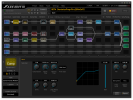
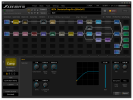
I'd regret seeing anyone miss out on the great enhancements of 28.x and all future updates. Give it another try: by eliminating unnecessary shunts, removing Send and Return, lowering reverb Ultra High quality, and switching to the Econo Dynacomp, I was able to get your preset down by more than 5% on a Turbo, to ~64%. I saw some other opportunities too, but don't have time right now to take it to the limit ;-)

From:
1741962578633.png
To:
1741962594174.png
 
I'd regret seeing anyone miss out on the great enhancements of 28.x and all future updates. Give it another try: by eliminating unnecessary shunts, removing Send and Return, lowering reverb Ultra High quality, and switching to the Econo Dynacomp, I was able to get your preset down by more than 5% on a Turbo, to ~64%. I saw some other opportunities too, but don't have time right now to take it to the limit ;-)

From:
View attachment 152447
To:
View attachment 152448
A great example of why Fractal products are by far the best money I've ever spent on music gear - best support anywhere!
 
I'd regret seeing anyone miss out on the great enhancements of 28.x and all future updates. Give it another try: by eliminating unnecessary shunts, removing Send and Return, lowering reverb Ultra High quality, and switching to the Econo Dynacomp, I was able to get your preset down by more than 5% on a Turbo, to ~64%. I saw some other opportunities too, but don't have time right now to take it to the limit ;-)

From:
View attachment 152447
To:
View attachment 152448
@trueresource I would suggest trying Matt’s changes. If that takes you out of CPU warning zone, then see if you can turn some quality settings back up.

Removing unnecessary shunts and send/return is a great way shave a little cpu. Like most people, I assumed shunts took 0 CPU, and was quite surprised to learn how much they used.
 
my preset "389_DominionPmprPtrc20RvGnP2" cpu had an cpu overload warning.
After installing the new firmware I had CPU overloads on many of my presets. I don't have the Turbo version, just the regular Axe FXIII. It's a bummer when the CPU jumps enough to cause overloads in a new firmware version. I have since deleted a block or two in all the overloading presets and everything us fine. No issues at all so far other than the CPU increase. The new compressors sound really good.
 
Oh but daaaaang I am just trying this prepping for a gig tonight.

Something holy is occuring here. Heard the hype about the Brit Studio 20 but nothing compares to actually playing it. Instantly replaced my AC30 patch.

I always like to start a new patch for a new FW and I was not prepared for how amazing this sounds/feels!!!!

Asanta sana @FractalAudio

EDIT: digging the rockguy, econo-dyna-comp, and the FF sustainer too!
 
I have just updated to firmware 28.02 my Axe Fx3 .Have any of you encountered a bug related to the per preset function? I have always used this function but currently I can no longer assign functions to the footswitches despite having performed the usual procedure through the editor.
 
I have just updated to firmware 28.02 my Axe Fx3 .Have any of you encountered a bug related to the per preset function? I have always used this function but currently I can no longer assign functions to the footswitches despite having performed the usual procedure through the editor.
I haven't encountered any issues with per-preset footswitches on my AFIII here.

Are you certain you're using the newest editor that supports the release?
 
Back
Top Bottom