FM3 Firmware Version 12.0 public beta

Status
Not open for further replies.
You'll have to do it manually
In my case, that was not necessary. I use Dynamicab #5 in a lot of presets. After updating, my presets are now defaulting to #6, which was the old #5. I didn’t check any factory presets, but in my case it kept the same Dynamicab even though the number changed.
 
In my case, that was not necessary. I use Dynamicab #5 in a lot of presets. After updating, my presets are now defaulting to #6, which was the old #5. I didn’t check any factory presets, but in my case it kept the same Dynamicab even though the number changed.
the issue was with dynacab blocks from your personal block library.
 
In my case, that was not necessary. I use Dynamicab #5 in a lot of presets. After updating, my presets are now defaulting to #6, which was the old #5. I didn’t check any factory presets, but in my case it kept the same Dynamicab even though the number changed.
"DynaCabs"

We are not talking about presets, we are talking about saved blocks, which as mentioned are not updated.
 
I doubt it. The amp and cab are different blocks. I think the auto cab selection works on the new AM4 because amp/cab is the same block.
Don't get me wrong, but we're still talking about a computer here. One that perhabs programmed so that the cab block could pull data from the amp block.
 
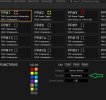
Can somebody please check if Momentary Control Switches still work for them with this beta? They seem to be broken for me.
Solved: Reinstalling the firmware 12.0 beta fixed the problem
 

Attachments

  • Capture.JPG
    Capture.JPG
    97.3 KB · Views: 38
Last edited:
Sorry, I'll try again, maybe someone knows the solution to quickly build the list of IRs in my presets
You will need FracTool for this:
  • Select tab CabList
  • Check Cab->Presets
  • Uncheck Check scenes cab use
  • Press Refresh - be patient, this will take about 5 minutes
  • Save file as e.g. cabs.csv
  • Close FracTool as you cannot run FracTool and FM3-Edit at the same time
  • Open cabs.csv in a text editor
  • Search for the string U 512
  • From here on you will see: A cab (identified by number and name) and after a separator (e.g. comma) several presets using this cab
  • Start FM3-Edit and start remapping cabs 512+. I would do it like this:
    • Move one cab to a different location
    • Edit the presets using this cab
    • Repeat this sequence for all 512+ cabs
 
Can somebody please check if Momentary Control Switches still work for them with this beta? They seem to be broken for me.
No problem here. I checked on a Bypass Parameter and on Wah control. I tried each of the six CS and all seems fine. I also tried latching by the way. I tried it directly, and using a Per-Preset assignment as in your screen capture.
 
No problem here. I checked on a Bypass Parameter and on Wah control. I tried each of the six CS and all seems fine. I also tried latching by the way. I tried it directly, and using a Per-Preset assignment as in your screen capture.
Thanks for checking. I still can't get it to work, only the OFF state works, but it never turns ON in Momentary mode. I have no idea what I'm doing wrong.
:worried:
 
Holy shiitttt. I was wondering how you guys would handle the extra DynaCabs and I think this is a great alternative! I mean who needs 1024 user cabs lol.

After that one bass thread a few weeks ago, I busted out my Sansamp and hooked it up to play it again. A couple weeks later, the Axe3 got this firmware update. I put my Sansamp back in storage this past weekend lol. I really don't need pedals anymore.

I'm so excited for this update!! Fractal is the best! 🔥🔥🔥
 
Last edited:
Does anyone else have problems making backups with Fractal Bot? I updated to the newest Fractal Bot and I think it might be the cause
 
Status
Not open for further replies.
Back
Top Bottom