Chromatizm
Power User
I've reported a reproducible case a few pages back, and people reproduced it too.This is the first reproducible case I've seen reported.
There's something with compressor blocks in this fw.

I've reported a reproducible case a few pages back, and people reproduced it too.This is the first reproducible case I've seen reported.

Yeah, that's a pretty convincing case for a Compressor block bug / crash.Good idea to try it on other presets aswell !
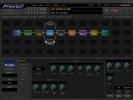
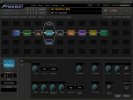
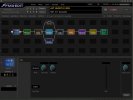
result: yes, it happens on others aswell. I took a empty preset and just dropped a minimum blocks inside plus the compressor "VCA FB sustainer" and switched to knee type "hard" and it happened again. Coincedantly I had the meters page open and it looks like this in the moment of "crash"
View attachment 156089
View attachment 156090
Maybe that helps a bit ?
Tuner still works and also the meters in the "meters view" untill the compressor block, but after compressor all block meters remain red.
So you did... Somehow I forgot.I've reported a reproducible case a few pages back, and people reproduced it too.
There's something with compressor blocks in this fw.


I have a preset where I'm using the scene controllers and it seems to be causing actual latency within the unit itself
That would make sense. I hadn’t realized that the scene controllers add directly to the CPU usage. I had already lowered the reverb block’s density in the beta, but noticed a slight performance increase last night when I set it another value lower before heading to bed last night. I was sitting right around 80-80.5% before adding the scene controllers and the displayed value never changed after the fact, so I didn’t put two and two together.How many Scene Controllers are you running, and what is your CPU utilization?
Post a pic of the Grid, and if you're running at or around 80%, you should optimise the Preset to stay comfortably under the threshold.
You could try removing unneccessary shunts or blocks, lowering the reverb quality and/or density, tweaking the compressors.
Reverbs and Compressors in FW10 are CPU hungry, and I understand Scene Controllers can be too (happy to be corrected!).

That would make sense. I hadn’t realized that the scene controllers add directly to the CPU usage.
I loaded up FW10 and was disappointed that I didn't play any better. I still did the same old cheezy riffs and made the same mistakes when playing the same old songs.


Aside from Compressor block changes, I can't think of anything in the updates that would do much to levels.Hi everybody,
I'm away from the machine, so some terms I use may not be correct but I hope I can make myself understood.
Just updated to FW10. My 30+ Presets have way too much output now (maxing out the output at +10!). Would you rather reduce the amp block level in each scene of each preset or reduce the overall output of the presets?
Thank you.
If your presets have a Compressor block you should definitely think about that as the source...I had to turn down the physical level knob from 12 o'clock (my go to setting) to about 10 and the presets were still at +10 in VU meter. I came from 9.03.
Oh yes, I do have compressors in my presets. Without having to read all the posts what is wrong with them?If your presets have a Compressor block you should definitely think about that as the source...
Nothing "wrong" but many were changed or replaced. I found I was getting a big level boost with my previous settings.Oh yes, I do have compressors in my presets. Without having to read all the posts what is wrong with them?
COMPRESSOR BLOCK UPDATES
● New Dynami-Comp algorithm with full control set and low-CPU version.
● New VCA Bus Compressor (replaces Studio FB Compressor).
● New Optical Compressor with doubly dynamic times and emphasis control.
● New JFET Compressor, perfect for grit and tone shaping.
● New JFET Pedal algorithm (replaces JFET Sustainer).
● New Rockguy Compressor Type.
● Updated Tube Compressor (now “Vari-Mu Tube Compressor”).

This is a known issue and has already been fixed for the next firmware release.today I played a bit with the VCA FB Sustainer. When switching to knee type "hard" the unit stops to output any audio signal - and no chance to recover - the unit stays alive and operable but no sound at all even after changing the preset. Only power cycle brings back sound.
This issue is reproducable. Each time I switch to knee type "hard" this happens.
Is this a confirmed bug? Or only on my unit/setup/preset?