Axe-Fx III Firmware 28.02 Release

Since the patch, there were a few instances where sound output suddenly cut off for no apparent reason when connected to a Mac. Computer recognizes the input, and I can record just fine, but nothing comes out of the speakers. Turning Axe Fx 3 off and on fixes the problem. Any reason why that might be happening? I have never had this problem earlier.

 
I use a Mac Mini (M1) to control one AF3 and an older MacBook Pro to interface with another AF3. I haven’t yet experienced this on either unit. Assuming I understand correctly (not always the case lol), the outputs directly from your AF3 going into your stand-alone speakers, does not at times pass signal, until you reboot your AF3? Initially I was thinking bad cables (you know the mantra), but I’m unsure why a reboot would resolve the issue, unless there was a really odd connection, where the flip of the AF3 switch was enough vibration to happen a solid connection. Not much chance, but I did repair an old amp back in the 90’s, that looked solid on my bench. When I applied power under observation, one of the large power resistors was physically split across its middle. I couldn’t see the split when inspecting, and multimeter gave a decent reading when tested without power. Just saying odd things can occur, even if not likely.

Have you tested to see if you are also losing the signal coming out of the headphones jack?

Best luck on this,
Lee
 
The Axe-Fx chorus block is great. Turn auto depth off and it'll wobble & flail like the wackiest analog pedal.

Some of my favourite chorus tones live in the Flanger block. Having the ability to set the min/max delay times as well as advanced controls like the bass focus & VCO response are a chorii chasers dream.

If anyone wants some blocks matched to a real CE-1

https://forum.fractalaudio.com/thre...1-ada-mp-1-chorus-eventide-micropitch.178419/
I only found out about the auto depth trick with your Rockman style video preset. Can’t thank you enough for that!
 
Have you all tried turning off the auto depth then setting the depth for intensity, it usually needs to be lower especially as the speed of the modulation increases as auto depth is regulating this when enabled.

EDIT:
Missed Leon mentioning this above
I’ll definitely try this later tonight. I don’t always need it so pronounced but every once in a while. Could be the ticket. I have always been so surprised my Julianna gets such a deeper and richer chorus. If this solves it for me I’ll be good.
 
The next time it happens post the two presets that were switched between when it happened.

Until we can reproduce the problem we can't fix it.
One data point from me is that it last happened while I was using unmodified factory preset 0094 while I was just playing, not adjusting parameters, nor switching between presets. I'm pretty sure that each time this has happened I wasn't changing anything, just sitting on one preset.

If it happens again I'll be sure to post the preset.

The consistent variable is that I always have Axe-Edit III open, as that's how I program and switch presets, (not on front panel).

I'm using M1 Mac Studio Ultra, Sonoma MacOS 14.7.5, Axe-Edit III 1.14.13.
 
One data point from me is that it last happened while I was using unmodified factory preset 0094 while I was just playing, not adjusting parameters, nor switching between presets. I'm pretty sure that each time this has happened I wasn't changing anything, just sitting on one preset.

If it happens again I'll be sure to post the preset.

The consistent variable is that I always have Axe-Edit III open, as that's how I program and switch presets, (not on front panel).

I'm using M1 Mac Studio Ultra, Sonoma MacOS 14.7.5, Axe-Edit III 1.14.13.
Please post the preset.
 
Last edited:
Have you all tried turning off the auto depth then setting the depth for intensity, it usually needs to be lower especially as the speed of the modulation increases as auto depth is regulating this when enabled.

EDIT:
Missed Leon mentioning this above
I have tried this, but it just gets sea sick. With lower settings it just sits in the background. Even an MXR micro chorus sounds chewier. I'm am sure that the problem is I just don't know how to dial it in properly.
 
The next time it happens post the two presets that were switched between when it happened.

Until we can reproduce the problem we can't fix it.
Hi~ Attached are the patch files. When I switch from "Plexi 100W" to "AC-20 LT UR" it crashed again. As shown in the pic, the output1 meter maxes out when it freezes and goes silent.AXEFXIII.jpg
 

Attachments

Hi~ Attached are the patch files. When I switch from "Plexi 100W" to "AC-20 LT UR" it crashed again. As shown in the pic, the output1 meter maxes out when it freezes and goes silent.View attachment 153138
I can't replicate this.

The next time it happens press Layout and tab over to the Meters page. Find the first block where the block output meters are pegged all red. Highlight that block and press EDIT. Tell me the name of that block.

I bet it's the Compressor block. I'm pretty sure I've found the bug.
 
Last edited:
I can't replicate this.

The next time it happens press Layout and tab over to the Meters page. Find the first block where the block output meters are pegged all red. Highlight that block and press EDIT. Tell me the name of that block.

I bet it's the Compressor block. I'm pretty sure I've found the bug.
The AMP block and everything after it seems to be pegged all red. The AMP block is "AC-20 12AX7 Treble". The comp block seems fine.

FYI I'm still using the first version of AxeFX III with the latest firmware. Like I said, I've never had problems using these presets and I've used them like every day for years with zero problems.

Thnx!

J
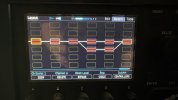
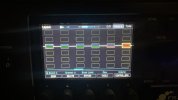
AxeFXIII_1.jpgAxeFXIII_2.jpg
 
Last edited:
The AMP block and everything after it seems to be pegged all red. The AMP block is "AC-20 12AX7 Treble". The comp block seems fine.

FYI I'm still using the first version of AxeFX III with the latest firmware. Like I said, I've never had problems using these presets and I've used them like every day for years with zero problems.

Thnx!

J
View attachment 153160View attachment 153161
It's not the Amp block. It's a block before it. Scroll to the left a couple slots and take a picture of the meters.
 
I can't replicate this.

The next time it happens press Layout and tab over to the Meters page. Find the first block where the block output meters are pegged all red. Highlight that block and press EDIT. Tell me the name of that block.

I bet it's the Compressor block. I'm pretty sure I've found the bug.
When I get freezes, it has never been between presets. It has always been between scenes. My meat and potato rock sound with the compressor off to a clean sound with the compressor on.
 
No man, get that crystal ball checked because next update is clearly going to be granular delays and more synth sounds 😜
this. this. this. i can get close but it's complicated and not quiiiiite there.
all I need are some chase bliss, red panda, and pladask elektrisk blocks so I don't have to lug those around with me.
 
The AMP block and everything after it seems to be pegged all red. The AMP block is "AC-20 12AX7 Treble". The comp block seems fine.

FYI I'm still using the first version of AxeFX III with the latest firmware. Like I said, I've never had problems using these presets and I've used them like every day for years with zero problems.

Thnx!

J
View attachment 153160View attachment 153161
Hmm, I do also have a micro boost in my clean scene that gets turned on when using single coils.
 
In my opinion, you can do all of those sounds with the Mono Tape model in the delay block. There are technical reasons why it has capabilities beyond other blocks, but it is magical and worthy of being truly mastered.
I Finally Tried it, I get what you mean, but as this is a delay, you dont have the "direct tone" as you need to set a "Time" . If you turn down the time at minimum, you wont have the effect, but yes with this block you can have a "radio friendly unit shifter" like thing
 
Back
Top Bottom