Interesting. The ports in the Dell are fine. I tried other devices and no problems. I tried my Axe III with the Dell and the same cables and same issue, editor does not respond.It could be the port on the Dell or actually the USB cable. Oddly enough you may need a different USB cable for the Dell....
Right, so my point is you may need another USB cable just for the Dell. I have had this issue going from computer to computer. I am not exactly sure why. It just seems like it is one of those "grown up" tech things, but nonetheless try a different USB cable. I had a really nice gold ended cable with my AF3 and the mac wouldn't read it. Tried a cheapo Amazon version and it worked. Sometimes a splitter or hub will cause interference. I would guess this might fix the issue.Interesting. The ports in the Dell are fine. I tried other devices and no problems. I tried my Axe III with the Dell and the same cables and same issue, editor does not respond.

Interesting. The ports in the Dell are fine. I tried other devices and no problems. I tried my Axe III with the Dell and the same cables and same issue, editor does not respond.
I've tried that, no dice.If you close out the editor and try again will it work? It’s like that for me with my Windows work laptop. Sometimes it takes 3-4 attempts. Says it’s connected but nothing happens. My desktop never has issues.

YesHave you tried uninstalling and reinstalling?
Can you connect with standalone FractalBot?
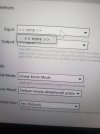
The editor has settings for the "ports" to use for sending and receiving. Make sure those are set to FM9.

Pretty sure the OP said he has tried that.Sounds like a driver issue with Windows. Try locating the driver for Windows, uninstalling it, and reinstalling it. If you've not installed the driver for Windows yet, there's the solution...try here:
https://www.fractalaudio.com/fm9-edit/