Midi Clock over USB?

Dunconia

Inspired
Will the AFX3 receive midi clock over USB? I can get my HX Effects to sync over usb but the AFX3 doesn’t respond to the tempo changes via midi clock. I was able to sync the AFX3 tempo to the HX Effects by tapping the tempo in. However, the tempo lights don’t quite match. I read that the tempo led on the Axe 2 isn’t a priority so it shouldn’t be judged as far as perfect syncing. I assume that is true for the 3 as well. I noticed that if I enable the HX Effects midi through, the tempo on the AFX3 changes to a much higher BPM than what the DAW is putting out.
 
I use my iPad connected with a USB to lightning cable running BandHelper.

I can send midi beat clock with no problem and the Axe Fx III responds fine.
 
That looks right. What do you mean by "trouble"?
Thanks for the reply. AX3 is not receiving midi tempo from Logic. Same USB cable and port I use to record / play back audio, use Axe-Edit, etc, so it's not the cable. Is there a setting on the AX3 I need to change to enable receiving midi clock?
 
Thanks for the reply. AX3 is not receiving midi tempo from Logic. Same USB cable and port I use to record / play back audio, use Axe-Edit, etc, so it's not the cable. Is there a setting on the AX3 I need to change to enable receiving midi clock?
Having the same issue.
 
I don't know about Logic, but for Reaper it doesn't send MIDI clock by default. You have to enable it for any given MIDI Output port.

I did notice some odd behavior in the tempo display of the Axe III though when the tempo/metronome screen is showing. The tempo display value seems to sort of ramp up the new tempo send by MIDI clock, so the display shows an intermediate tempo for a split second before it shows the new desired tempo. My FC-12 shows the same random intermediate tempo values too (I have my tap tempo button set to show the current tempo on the scribble strip). The actual tempo is changing as expected as verified by a tremolo set to 1/4 note tempo. Alternating between 100 and 200 BPM per measure does keep the tempo in time throughout with 1x and 2x pulse rates alternating, so it doesn't seem to actually be using these intermediate values, just displaying them.
 
Last edited:
I don't know about Logic, but for Reaper it doesn't send MIDI clock by default. You have to enable it for any given MIDI Output port.
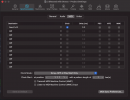
See the screenshot above for the dialog where the clock is enabled in Logic 😀.

I did notice some odd behavior in the tempo display of the Axe III though when the tempo/metronome screen is showing. The tempo display value seems to sort of ramp up the new tempo send by MIDI clock, so the display shows an intermediate tempo for a split second before it shows the new desired tempo. My FC-12 shows the same random intermediate tempo values too (I have my tap tempo button set to show the current tempo on the scribble strip). The actual tempo is changing as expected as verified by a tremolo set to 1/4 note tempo. Alternating between 100 and 200 BPM per measure does keep the tempo in time throughout with 1x and 2x pulse rates alternating, so it doesn't seem to actually be using these intermediate values, just displaying them.
Strictly speaking, the tempo is never sent to the AxeFX. It must derive the tempo from the clock. It applies a LP filter to avoid jitter. That means the tempo will ramp up and down. The display must be showing a value from the middle of the ramp, even though it’s too brief for you to hear it.
 
Back
Top Bottom