How do I setup a Dunlop Mini for global volume?

pparvis

Member
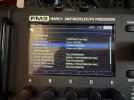
I have a FM3 and just purchased a Dunlop mini pedal. I want to use it to control Output 1 global volume. I’ve been reading manuals and watching YouTube videos but can’t seem to get it to work. This is what I have done. 1. Plug TRS CABLE into AUX of pedal. 2. Plug other end of TRS cable into Pedal 2 jack (I already have external switches in Pedal 1). 3. Go to setup I/O, Pedal 2 setup and select 1 Expression Pedal. 4. Go down 1 row to Calibrate Pedal 2, press enter and move pedal up and down. Hit enter. 5. Go to setup, midi/remote, go down to Output 1 Volume and select Pedal 2 (Exp/SW Tip). Hit enter. WINDOW COMES UP THAT SAYS LEARN MODE WAITING. IT WON’T GO AWAY on its own. If I move the pedal at all it goes away. The volume pedal does not work. I’ve run out of instructions at this point. Thanks.IMG_0091.jpegIMG_0089.jpegIMG_0088.jpegIMG_0091.jpegIMG_0089.jpegIMG_0088.jpeg
 
Go to setup, midi/remote, go down to Output 1 Volume and select Pedal 2 (Exp/SW Tip). Hit enter.
Don't press enter. Once you've selected the setting it's active.

Here are the instructions from the manual for setting up global volume on page 13:
GLOBAL VOLUME SETUP
The FM3 allows global remote control of the volume at any input or output via a pedal or MIDI CC of your choice. To set up a pedal for global volume, follow the instructions below. Be careful that you don’t accidentally assign the same pedal to both Volume and an External Controller as described above!
First you’ll need to decide which global volume option you prefer:
Input volume affects gain/distortion and the behavior of level-dependent blocks like the compressor or gate.
Output volume does not affect gain or level-dependent blocks, but scales everything you hear including effect tails.
To set Global Volume:
1. From the Home page, open SETUP: MIDI/Remote: Other.
2. NAV to the entry for whichever volume you want to control: Input 1 or 2, or Output 1 or 2.
3. Turn the A or VALUE knob to assign a controller to your selected entry.
Select “PEDAL 1 (EXP/SW TIP)” for the onboard Pedal jack (or #2 if you are using that one) 4. Test and EXIT when finished.
Learn more about the MIDI/Remote menu options on p. 105
 
I tried the manual first. This time I did not hit enter. Still does not work. I tried the pedal on its own with an amp and it works fine. Opened up the pedal and checked the dip switches which are set correctly. Is there another step I am missing?
 
Are you on firmware 11.0?

I just recalled that there's an issue related to pedal 2 in FW 11.0...
 
Yes. Firmware 11. I have a switch assigned to Pedal 1. I can reassign the switch to Pedal 2 and use Pedal 1 for the volume pedal. I might just do it preset by preset for now. Thanks
 
Isn't there a small switch inside the pedal to change the polarity in order for it to function as an expression pedal?
 
Last edited:
Back
Top Bottom