FM9 Firmware Version 9.01

m_brown

Moderator
Fractal Audio Systems
Moderator
FM9 Firmware Version 9.01 is now available for download:
https://www.fractalaudio.com/downloads/firmware-presets/fm9/9p0/fm9_dsp_rel_9p01.zip

An updated version of FM9-Edit is required for use with this release:
https://forum.fractalaudio.com/threads/fm9-edit-1-03-11.212919/

New DynaCabs
A Dyna-Cab update is required if you are updating from a firmware version prior to 9.0 Beta 2.
The required Dyna-Cab file is included in the zip file for this release.
If you are upgrading from version 9.0 beta 1 or older, please follow the instructions in the included Firmware Update Guide. If you are updating from 9.0 beta 2 or 9.0 you do not need to reinstall Dyna-Cabs.

Preset CPU and Factory Presets
This firmware version includes major improvements to sound quality and performance. As a result, some presets now require more CPU. Older Factory Presets may exceed 80% CPU usage, especially on the standard (non-Turbo) FM9. To address this, new Factory Presets have been created for firmware 9.0+. These are not installed automatically and must be downloaded separately:
https://forum.fractalaudio.com/threads/fm9-factory-presets-version-9-0-release.212825/
 
Last edited:
Yes, Thanks.

I don't have any other product - HW or SW, at any price point that gets as much free, unrequired/unrequested but much appreciated, or requested and responded to, where feasible, support as with my FAS gear.

It truly is appreciated, at least by this owner.

Larry
 
Was there any change to the Marshall Plexi 100 amp model from FW 8.01 to FW 9.0 or 9.01? I am wondering because although I would love to upgrade, my custom Hendrix presets stopped working properly after FW8.01. So I have decided to stay on 8.01 for now. But if there was a bug in the Marhsall Plexi 100 W Jumped and it was fixed then I will choose to try an upgrade. Has anyone used the Plexi 100 W Jumped in their presets? Have you noticed a change from 8.01? Was it better or worse? It seems to be tolerable on the monitors but on my RS Elis 8's it sounds completely flat.

It is not a big deal really. I can just stay on 8.01 until my custom manufacturers redo their presets for 9.01. :)
 
Last edited:
Was there any change to the Marshall Plexi 100 amp model from FW 8.01 to FW 9.0 or 9.01? I am wondering because although I would love to upgrade, my custom Hendrix presets stopped working properly after FW8.01. So I have decided to stay on 8.01 for now. But if there was a bug in the Marhsall Plexi 100 W Jumped and it was fixed then I will choose to try an upgrade. Has anyone used the Plexi 100 W Jumped in their presets? Have you noticed a change from 8.01? Was it better or worse? It seems to be tolerable on the monitors but on my RS Elis 8's it sounds completely flat.

It is not a big deal really. I can just stay on 8.01 until my custom manufacturers redo their presets for 9.01. :)
Read the Release Notes for each firmware from the one you're running to the one you're considering updating to:

https://wiki.fractalaudio.com/wiki/index.php?title=Firmware_release_notes_-_FM9

Note the the wiki hasn't yet been updated for this minor release which I think only fixes a bug from 9.0.
 
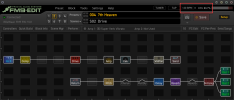
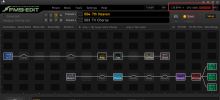
Not sure why the jump in CPU? One scene has more active FX but CPU is fine. Next scene has fewer FX but CPU is OVEROAD? This was fine before the update. Any thoughts?

View attachment 154547
View attachment 154548
Check 8.01 up to 9.01's release notes regards COMP CPU usage. Some, including the M-COMP can be CPU gluttons. I'd also check your Reverb usage as well. If one is an ambient, spacy effect used with restraint, that might help compared to a reverb with tailing reverb and lots of time. Lastly, the multidelay and delay used in sequence. Not so much to worry about with the pitch and chorus. It may be that your modulation DSP has too much on its plate.
 
Not sure why the jump in CPU? One scene has more active FX but CPU is fine. Next scene has fewer FX but CPU is OVEROAD? This was fine before the update. Any thoughts?

View attachment 154547
View attachment 154548
All blocks use CPU wether they are bypassed or not.

All scenes contain all blocks in the preset, so there's no more vs less.

The cause of almost certainly that some blocks are on different channels and those channels are using different types of that effect. Different types can have different CPU consumption.
 
Check 8.01 up to 9.01's release notes regards COMP CPU usage. Some, including the M-COMP can be CPU gluttons. I'd also check your Reverb usage as well. If one is an ambient, spacy effect used with restraint, that might help compared to a reverb with tailing reverb and lots of time. Lastly, the multidelay and delay used in sequence. Not so much to worry about with the pitch and chorus. It may be that your modulation DSP has too much on its plate.
Reverb runs on a dedicated core. It doesn't affect reported CPU use.
 
Back
Top Bottom