Blackstar Live Logic USB MIDI Controller FM3 SETUP

BigStubby

Member
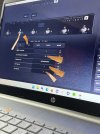
For the setup you'll need to connect your Blackstar Live Logic to your PC using USB and download/launch the Blackstar Live Logic App. Your Blackstar MIDI out can remain connected to FM3 MIDI in.
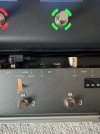
The Blackstar Live Logic stomp (switch) lights will NOT stay lit to indicate the current stomp. It is possible to make the stomp light work but it requires MIDI out from FM3-to-MIDI in on the Blackstar and there's quite a bit of MIDI config to make that happen... it wasn't worth it for me to go after that. Having the FM3's buttons 1 and 2 scroll through the presets and the FM3's display worked fine enough.

When playing live I like the way it all works. On the FM3 I use Exp1 for Output Volume and Exp2 for Wah across most of my presets.

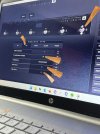
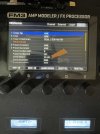
Here are steps to configure/setup the Blackstar Live Logic USB MIDI Controller for use with an FM3:

LOOK closely for the orange pointers for switch settings, parameters and the like.
00.jpg

01.jpg

02.jpg

03.jpg

04.jpg

05.jpg

06.jpg

07.jpg

08.jpg

EOF... just to be nerdy. :)
 
Last edited:
A bit late to your party, but THANK YOU for this. I was driving myself crazy programming the Blackstar I just got today. As it always is, it was something simple and stupid lol
 
Even more late! I am trying to download the live logic app, but their weblinks are broken. Any suggestions how to get a pc version of it?
 
It's important for me to let you know I have yet to do this. I've read the Blackstar and Fractal manuals and this is my take-a-way;

About the Stomp Lights... The Fractal "MIDI Block" is the first (or most likely) method for configuring this and MIDI out from FM3-to-MIDI in on the Blackstar need to be connected (5pin cable).
https://wiki.fractalaudio.com/wiki/index.php?title=Scene_MIDI_block

This is a block that is added to each Preset you'd use. To simplify, the block would be configured once and then added to your Block Library for re-use. Making it an easy add to other Presets. Again, I have yet to do this, it just hasn't been a priority for me. I might spend some time on this... separately I want to see if there is a Global way of doing this so as to bypass adding a block to each preset that I use. It would be best for me to have Stomp Lights work on all Presets right out of the gate.

BTW- the Voes MX-5 seems nice, they also seem rare... Reverb and Ebay had none for sale.
The Voes site would not load for me (timed-out) https://www.voes.be/mx5.html
 
Last edited:
BTW- the Voes MX-5 seems nice, they also seem rare... Reverb and Ebay had none for sale.
The Voes site would not load for me (timed-out) https://www.voes.be/mx5.html

Weird… I just visited the site and it worked fine for me.

I’m on my 3rd Voes unit and couldn’t be happier with them. I use an MX9 to control the AxeFx for smaller things, and an MX18 for full control. The MX18 is everything I’d want in a midi controller. It does a few things I didn’t even know it could do and I was thrilled with before that lol
 
I've email's Blackstar support and I'm waiting for answer. How many chance for a modify on the firmware? :rolleyes:
Anyway I've try midi block and I be able to change which led must be on when I change scene from FM3-Edit but this is only an experiment and is useless.
 
I've email's Blackstar support and I'm waiting for answer. How many chance for a modify on the firmware? :rolleyes:
Anyway I've try midi block and I be able to change which led must be on when I change scene from FM3-Edit but this is only an experiment and is useless.
Just to comment, I have no experience or interest in this controller, but for any midi controller doing scene changes on a Fractal and having the LEDs properly maintain state will require the midi controller to support the concept of a "mutually exclusive switch group", or to be internally coded to understand Fractal hardware.

The reason for this is that all scene changes send the same CC value and they are all changing the same thing - the scene. But that thing has multiple "states" (the 8 scenes).

It's not like typical on/off CCs...

So when you have Scene 1 active, the midi controller lights the LED on the switch. Now you press the switch for scene 2, the LED for that switch will also come on.

You need to tell there controller that those scene switches are part of a group, so that it only lights the LED of the last pressed switch in the group.

And then you also have the challenge of preset changes... Because after you change presets you probably won't be on the scene that the switch is lit for...
 
Back
Top Bottom