
I'm thinking even though your cables is good - try another cable if you have one also plug into another usb on you computer
Also try shutting off any anti-virus or malware software you may have running
Also try loading the usb driver as administrator dam windows lol


Interesting I turn on Axe III before or after pc start - I only tried AM4 after pc was started - it will prob work itself out pretty quick
Interesting I turn on Axe III before or after pc start - I only tried AM4 after pc was started - it will prob work itself out pretty quick


Exactly my Friend - My pleasure - glad you got it sorted outYeah... the order doesn't matter for me with the other three.
No biggie... now that I'm aware of it. Maybe it will... settle in... when it becomes a little more comfortable in its new home!
Thanks again, my man!

Yeah... part of me wants to delete that post... hate to harsh a good time.Thanks Brother just hit people with the easy watchouts first - have fun and stay well - you will luv your new AM4

You should post that as a possible bug in the AM4 forum, maybe get somebody at Fractal to take a lookOK... figured it out.
I have to turn the AM4 on AFTER Windows has booted. Doesn't show at all after a PC reboot. Need to power cycle AM4 again if I've restarted.
Haven't seen this with FM3, 9 or III.
So be it.
AM4 Edit looks purdy!


You should post that as a possible bug in the AM4 forum, maybe get somebody at Fractal to take a look
Mine does NOT load after a reboot. Editor and Fractal Bot see nothing... because Windows can't see it. I MUST power cycle AM4 after a reboot.Not a bug. I think people just need to let their machine boot up a little bit longer before opening editor. Making sure everything is loaded in the background and what not and then open editor.
I just turned my AM4 and VP4 on and rebooted computer. Waited a bit once it rebooted and opened editors and they worked fine.
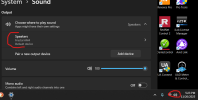
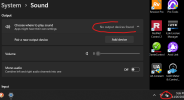
Yeah... good call. Will do after dinner.You should post that as a possible bug in the AM4 forum, maybe get somebody at Fractal to take a look
Yeah... part of me wants to delete that post... hate to harsh a good time.
But... maybe its best left in case anyone else is scratching their head as well?
Enjoy yours, too, brother. Rip it up!!!
Def a bug same problem here AM4 screen says loading Cabs but does nothing - open AM4 edit nothing showing its connected just the edit screen says disconnected top left not an error message its in the AM4 edit menu
No biggie just start it up after windows loads
Just shut AM4 off and back on now that windows is loaded and AM4 connected ok but doesnt seem to be working properly - hmm
Strange. I haven't seen or heard of this during beta process and it works for me fine, but perhaps can't hurt to ask about it.
Are you on Windows 11 as well, Brock?
Def a bug same problem here...
Good questionWindows 11, too?
Do you use any Universal Audio USB devices?
Good question
...not sure if that will be addressed or it is what it is