Stand In Switches (Hold Function ?) RESOLVED

Apparently I did one on a PP switch as it was on the Axe screen header....
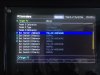
I did get the two switch setups on the Axe screen

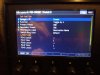
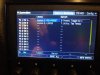
The first pic is the The three function switch and the tap / tuner switch..... Which obviously the tap part eliminates any toggling with that switch.

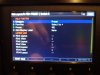
Second pic shows how the toggle then the hold switch was setup..... hope that helps.


20200320_193629_resized.jpg


20200320_193745_resized.jpg

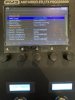
20200320_193755_resized.jpg
 
Did you try scrolling right..... I don't see a hold menu after your first screen pic.... Also it seems you should be able to assign tuner to tip and MLM to ring on one switch for example.... and have both toggle on one switch.
 
No menus option further to the pic. No designation option either .....except in FM Edit......which we have discussed.
 
I am going to ohm out the switch and cable (TRS-TRS) this morning.
This seems not necessary as the way it is configured/connected in the pictures each button does initiate a state change, but not Hold in FM3.
Scene 4 for switch 1
Tuner for switch 2

The more I think about this, I don’t think it’s hardware, I doubt two of us have faulty 2-way switch modules.

EDIT: TRS-TRS, and switch all ohm out normally.
 
Last edited:
I am going to ohm out the switch and cable (TRS-TRS) this morning.
This seems not necessary as the way it is configured/connected in the pictures each button does initiate a state change, but not Hold in FM3.
Scene 4 for switch 1
Tuner for switch 2

The more I think about this, I don’t think it’s hardware, I doubt two of us have faulty 2-way switch modules.

EDIT: TRS-TRS, and switch all ohm out normally.
Hey_teddis_if you don't mind keeping this thread alive as you work through support and resolution, that would be great. Personally I don't need to use the hold function of my 3rd party stand-in-switches, but if it was working, I just might. Thanks!
 
Sure, i have an email into support. I am sure they will get to it.
Just would be great to know if its a user problem, totally possible :) , newbie to FM3 , or the unit.
 
Just thinking out loud but you may not have a hold menu after your tap screen because you haven't assigned the hold function correctly.

Not sure but I may have done this.....

Try using a blank switch on a layout, then create a per preset from that switch and assign it to your stand in switch.

..... I believe that is what my top switch is doing and as that switch is always on a layout , your aux switch is always active no matter what preset you'r on.
 
At the FM3, there is no option other than what you see in the picture...from what I can tell.
In Edit, you can see the hold section and assign what you want....
 
Your GOTO switch isn't lit up in you pic either?

I reached out for some assistance as I don't have one to play with. ;)
 
Last edited:
Hey, It was not selected by cursor thats why, when i hit goto switch I do see the TAP and HOLD pages, like yours.
Anytime I assign something to hold, it over rides the TAP selection.....hmmmm.
 
Well.....the wonderful Mr. Matt called me to troubleshoot the problem. Incredible dedication to a product to call someone in another country on Saturday, thank you Matt !!!

Turns out the switch that is pictured in the first post is a "Momentary Break" type switch with REVERSE POLARITY.
Matt was able to determine this through his incredible skills with the unit.

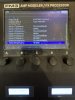
Set up per these pictures, fixed. thank you again Matt !!
 

Attachments

  • +ZMa63w2QyCrNTQK5Lnbsw.jpg
    +ZMa63w2QyCrNTQK5Lnbsw.jpg
    2.1 MB · Views: 268
  • 6cU9qyYOQmyL%q1o110Erw.jpg
    6cU9qyYOQmyL%q1o110Erw.jpg
    2.3 MB · Views: 251
Last edited by a moderator:
teddis_glad you got this sorted out! Like I mentioned earlier, this is not mission critical for me, more frustrating that I can't figure this out. I did look at the options on my Axe FX III with respect to the FC-6 switch config. No matter what combination I do (follow hardware, virtual toggle, normal polarity, reverse polarity), I cannot get my stand-in switch to execute a separate TAP and HOLD function.

See photo:IMG_1269.JPG

Stand-in switch I am using:
Amazon product ASIN B07JG6PWX3
I don't expect a call from Matt - that was super cool of him to help you. As I said, not mission critical for me, just annoyed with myself because I can't figure it out.
 
hi, yes, Matt is incredible at troubleshooting.
I don't have an FC controller.....but your picture shows that you are in the Remote tab.....shouldn't you be in Stand IN ? Can you maybe change polarity the stand in tab ?
 
Back
Top Bottom