Syncing Axe FX Ultra and MFC-101

JT Axeman 75

New Member
Hi Forum people,

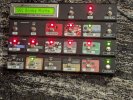
I bought a couple used items, an Axe-FX Ultra and an MFC-101 Mark III. After connecting the two with the proper power supply and 7 pin cable (for power over MIDI which I am using), I see the displayed Preset on each unit don't match up, and before I stress myself out trying to figure out how to get them to sync properly, I thought I'd ask the experts directly. The Axe FX Ultra Presets begin at the number 001, but the MFC-101 begins at 000, and although the MFC-101 has the right preset name on its display, the number is wrong, and it won't switch to the first preset available on the Axe FX. What should I do, besides scour the manual?
 
"Axe-Fx-Display-Offset" on page 61 of the MFC manual which might be something related to tinker with. Also, not sure about the Ultra, but on subsequent Axfx units at least, there's something directly on the units called "Display Offset", which you might also want to look into.

Congrats on acquiring Axfx/MFC
 
Last edited:
It was the mapping mode under the I/O page of the Axe FX Ultra. It was set to "custom." When I set it to "none," the MFC-101 began to properly display the presets, but I did have to set the MFC-101 display offset to 1 under the setup menu of the MFC-101 to get the numbers to match exactly. Now they both display the same name and number. I didn't exactly find that specific information in either manual, but between your suggestion and my instinctual and experimental menu wandering, we have achieved success! Thanks for the help!
 
I don't have that page on my MFC-101. The I/O page is actually nine separate pages and I can't find any settings that are either custom or none, or even have those choices. What am I missing.
 
The MFC 101 was displaying the same names as the AXE FX 2 before, but I think I hit the wrong foot switch, now everything is working different.
 
I don't have that page on my MFC-101. The I/O page is actually nine separate pages and I can't find any settings that are either custom or none, or even have those choices. What am I missing.
The post above's mention of "custom" or "none" is referring to "Mapping Mode" in Axefx Ultra (Mapping Mode should be set to off/none unless you intend to use that somewhat specialized function to do preset mapping).

The MFC related parameter that could also contribute to the issue described in the OP is "Axefx-Display-Offset" (see p61 of MFC manual).
 
Oh thank you. I did check that. Now it's sort of working but I have to push the button twice, but now I have it plugged in by Midi Cable. I'll do some experimenting before I start bothering you kind folks again.
 
Okay, so I fixed the problem I caused; it is switching properly with the bank of 5, but the problem I started out with, is that the MFC is set up for the effects I have, in the right places, but when I press the footswitch and it turns from red to green, the effect stays disabled in the preset!
 
I figured it out!!! I had to save the IASw <sw#> Global from NO to YES for each of my effects, because I'm setting this up to be like an amp with a bunch of stomp boxes (which you need them to be global to do); each bank is a certain amp/amp style. The first bank is Mesa Boogie (Mark Series), the second is Fender, the third is going to be Bogner, but I haven't got that far, LOL. I gotta have that Dumble knockoff they have in there, but I haven't been able to get a clean sound yet, so I combined the Fender and the Dumble in Bank 2. I'm gonna change that though. They can turn on the virtual RAT if they need crunch on the Fender.
 
Back
Top Bottom