savinb

grumpops

Inspired
I'm sure there's a short cut buried somewhere in the manual but, I'm missing it.
I just went through all the presets and found the maybe 16 that I am most likely to use at any point.
So there are 348 (I think) presets
So, I want to take the presets I like, and simply save them starting at slot 400.
Is there a shortcut to save Preset 1 to Preset 400 and not have to murder the encoder wheel physically on the FX III?

I've had this for about a week. Not new to Axe but damned sure this ain't what I was using (FX II MK XL+) this is a different world and different software
 
I looked that a couple of times and, the way it's written in the manual, seemed like I can copy past SCENES but not the entire preset.
(Gotta admit, I love the scenes. I used to make two to four versions of the same amp for like Intro/verse/cho/solo)
Pretty much all of them, with a few exceptions, don't even need a tweak.)
 
I looked that a couple of times and, the way it's written in the manual, seemed like I can copy past SCENES but not the entire preset.
(Gotta admit, I love the scenes. I used to make two to four versions of the same amp for like Intro/verse/cho/solo)
Pretty much all of them, with a few exceptions, don't even need a tweak.)
Manage Presets - it's literally in the name of the tool ;)

You can copy scenes only within a preset.

Besides Manage Presets you can save individual presets to another location by using Presets -> Save a Copy in the editor menu.
 
Thanks.
Hate to sound like a moooroon but....switching from a II MK XL+ to this is like climbing out of a Cessena 172 and into the cockpit of a 757
 
Thanks.
Hate to sound like a moooroon but....switching from a II MK XL+ to this is like climbing out of a Cessena 172 and into the cockpit of a 757
I mean, it's not that different.

I'm pretty sure those exact same options existed on the Axe Fx II although some of the "labels" have changed:

Manage Presets used to be called Axe Manage - Presets or something like that.

Save a Copy used to be something like Save As...

Copying Scenes was definitely there.

The major architectural differences:

  • Now you have block Channels A-D but that's exactly the same function as X/Y on blocks except now you have 4
  • The Input and Output blocks are not fixed in position and are there are more of them
  • The FXLoop block is replaced with Input/Output block
  • Some new effect types
 
Something else I Can't find.
I want to name what scenes do based on what I've put into the edits of a specific scene. But if I change the name, it's changed globally.
I looked at PER PRESET that that doesn't seem to be addressed there either.
There a few songs I create a sax for (two oscillators on Triangle and one on Square comes pretty close.)
 
Scene names are stored in the preset... But it sounds like maybe you're asking about foot switch scribble strip labels?

Your post isn't very clear.

You can set the switches to show the scene names as they are set in the presets (the first 10 characters).
 
Still learning new names for stuff
Yes, I assume I should be able to give separate names to scenes in ONE PRESET that do not carry over globally to other presets.

I like Bassguy for my cleans. The existing Scenes work but I want Scene 2 to be a sax JUST IN THAT PRESET.
But when I change presets, I don't want the word Sax showing up in scene 2.
Hope that made more sense.
 
You
Something else I Can't find.
I want to name what scenes do based on what I've put into the edits of a specific scene. But if I change the name, it's changed globally.
I looked at PER PRESET that that doesn't seem to be addressed there either.
There a few songs I create a sax for (two oscillators on Triangle and one on Square comes pretty close.)
Do you want to name scenes, block channels, or footswitches?

Scenes have names, editable on the unit or in AxeEdit.

Block channels don't have names anywhere. Many people have wished for that, me included, but i suspect pretty strongly that won't happen until the next generation hardware. Storing them would need a significant amount of memory, which is somewhat a fixed resource for each hardware generation. It would also mean more footswitch labels would need to change more often, possibly running into horsepower limits.

Footswitches that change channels can be set to show the channel name ABCD, not the kind of useful you're after. They can also be given a custom name, but that won't change when you change channels on a block. It also would be the same for all presets, unless you make the switch a per preset, in which can it won't change when you change scenes or channels, and you'd have to manually edit the name for every preset.

Footswitches are the only place where the concept of per preset really applies, but see above for why i don't think that'll get you what you're after.
 
Last edited:
Still learning new names for stuff
Yes, I assume I should be able to give separate names to scenes in ONE PRESET that do not carry over globally to other presets.

I like Bassguy for my cleans. The existing Scenes work but I want Scene 2 to be a sax JUST IN THAT PRESET.
But when I change presets, I don't want the word Sax showing up in scene 2.
Hope that made more sense.
No, it actually doesn't make sense.

Scene names are stored in presets. They are not global.

Where are you setting the scene name? Post a picture if possible.
 
I can't take pics of the pedal beause the mini displays don't render.
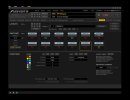
Based on what I've read so far.>..this would be where I name said Scenes, assuming that means INSIDE this preset.
I repeat again, based on what I've read so far. Doesnt' mean this isn't addressed somewhere else, just means I haven't seen it yet.
it would SEEM that since I am inside an existing preset editing a scene inside that preset, the name change is only here. But, if I go down to
MINI DISPLAY LABLE, shouldn't I be able to change that name here but have hit NOT follow me to other presets?
 

Attachments

  • scene 1 name 1.jpg
    scene 1 name 1.jpg
    216.9 KB · Views: 6
Asking again, by itself this time:
Do you want to name scenes, block channels, or footswitches?
I want the name for the scene to be specific to what it does inside that specific preset.
want to change what it says in the miniscreen but I don't want that change to be global..
I speak English and Japanese but, still can't speak FRACTAL...ugh...
 
IF I could show a pic I could display what I'm referring to.
I want the mini screen for footswitch for Scene 2 to say SAX., But I don't want it to say that for Scene 2 in every preset..there, I think I said what I"m trying to
 
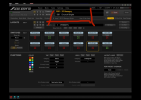
That is the Footswitch Config.

You are editing the switches in global layouts.

That is not part of the preset.

Again, the scene switches will already show the scene names. There's no need to change the name in the switch config.
Edit the scene name in the preset to have the label you want.

1734818894576.png
 
OMG I never even attempted to do that...I think I need to have some coffee now.
When the really obvious becomes difficult to see..it's time for a cup of coffee and a bowl.
 
Well I'm almost there.
I did exactly as indicated above. Literally renamed it inside the screen,
But when it was moved to slot 400, only the scenes are displayed on the FC
The scene name are correct and associated with the footswitch it's supposed to be.
The PRESET NAME however, says <EMPTY> it's correct on the large screen but, saving again and again in hopes the name populates is well, silly.
So, there a step missing here? Works for the scene names but not for the preset names (just double click/highlight in the box and type what you want then hit enter) Since it works for Scene, you'd assume Ooops..I did, it would work for preset too..lol

Uff da...I'm referring to typing into the name boxes on the FC editor.
 
Last edited:
Back
Top Bottom