
External Footswitches to Control Effects Issue....

I bought a Boss FS-6 footswitch to connect to my external jacks to control things like phaser and such that I don't have onboard footswitches for (the 8 onboard are all assigned). I've gone in and done all of the assigning in the effect's block, and the switch IS communicating with it because if I hold it down the effect works...but as soon as I take my foot off the effect is off again. I want it to work like a traditional pedal so that it latches on...I've got the pedal itself set on 'latch' mode...but that still doesn't seem to make it stay on. What am I missing here?

Will regular guitar cables work for this?
 
Last edited:
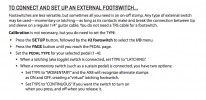
How is the FS-6 assigned to the block? Not sure why 'Momentary' isn't showing up when you scroll through TYPE in the Setup menu.
 
Honestly, when I hit the SETUP button I can't get to the I/O menu.....the manual says to press SETUP and then use the #2 footswitch to access it...but I do that and it goes to the name of the preset and that's all I can access.

I clearly have no clue what I'm doing!
 
Are you pressing the F2 footswitch or switch #2 of the 8 'effects' footswitches?

Look over page 12 in the manual to see the different switch and knob functions for navigating on the AX8 itself. The rotary knobs (encoders) A-E will have functions displayed above them in the screen when functions are available as they are in the SETUP menu. The 'E' encoder is the default 'NAV' knob which scrolls through the different menu options.

You can get to the I/O setup menu by pressing <SHIFT> then <STORE>, use the 'E' encoder to scroll down to the I/O menu and press <ENTER>. Press the PAGE> to get to the 'PEDAL' page then NAV down to the pedal 'TYPE' you have the switch connected to. Scroll to 'Momentary' and exit the setup menu.


It worked!! Lord love a duck...it was driving me nutso!!

I am seeing you have to be reaaallllly careful not to skip over potential settings...those knobs are hyper sensitive and will scroll right on by stuff if you're not careful.
 
Back
Top Bottom